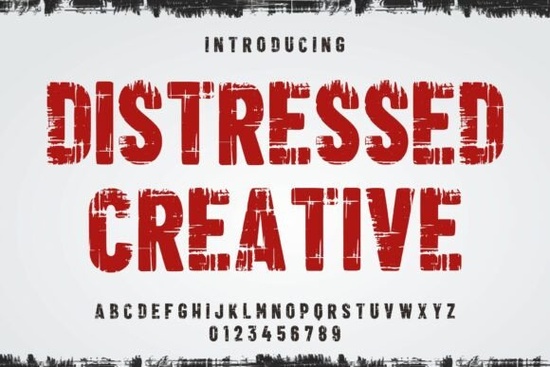
If you're looking for a bold, weathered typeface that adds instant character to posters, t-shirts, or social media graphics Distressed Creative Font is worth your attention. It’s not just another grunge font; it’s a carefully crafted stencil-style display font with intentional texture, subtle imperfections, and a tactile, stamped-on feel. Designers who work with vintage apparel brands, indie music promotions, or urban-themed print-on-demand products often find it fits naturally into their visual language without needing heavy editing or layering effects.
What makes Distressed Creative different from other distressed fonts?
Many “grunge” fonts rely on overdone scratches or chaotic noise. Distressed Creative avoids that clutter. Its texture is consistent but never repetitive each letter feels hand-stamped, not digitally distressed. The weight is bold enough to hold up at large sizes, yet the irregular edges keep it grounded and human. You’ll notice fine cracks, ink bleed, and slight variations in stroke thickness details that suggest age and use, not just aesthetic choice.
This isn’t a font you’d use for body text or long paragraphs. It shines in short, high-impact contexts: band name headers, limited-edition drop announcements, storefront signage, or merch labels. Because it carries so much visual weight, it pairs best with clean supporting fonts like a simple sans-serif for subheads or captions or with photography that has its own texture, like concrete walls, denim close-ups, or film grain.
Who uses this font and where does it work best?
Small businesses launching streetwear lines often choose Distressed Creative for logo lockups or tagline treatments. Print-on-demand sellers use it for niche niches think motorcycle clubs, coffee roasters with industrial branding, or record labels releasing vinyl reissues. Crafters building physical products (like screen-printed tote bags or enamel pins) appreciate how well it translates to real-world materials no pixelation, no smoothing needed.
It also works well alongside other expressive display fonts like the clean geometry of Mascot College Outline, the athletic energy of Cowboy Varsity, or the confident simplicity of Bold Font. Mixing one of those with Distressed Creative gives contrast without clashing say, a rugged headline paired with an outlined subhead for balance.
How to use it without overdoing it
Start small. Try it on a single line “Limited Edition,” “Est. 1998,” or “No Rules.” Avoid stacking multiple distressed fonts together. Let Distressed Creative do the talking. If you’re using it in Canva or Adobe Express, turn off auto-smoothing or anti-aliasing for crisper output. In Illustrator or Affinity Designer, outline the text before exporting for screen printing or laser engraving it preserves the texture better.
For web use, embed it via Creative Fabrica’s web font service (if licensed) or convert to SVG for crisp rendering at any size. And remember: this font thrives in context. Pair it with photos shot on film, textures scanned from cardboard or rusted metal, or even subtle halftone overlays not glossy gradients or glass-morphism UI elements.
Related fonts worth checking (if Distressed Creative feels too intense)
- Abrar Font a modern, slightly condensed sans with quiet confidence. Great as a neutral counterpoint.
- Bold Font a strong, no-frills display option when you want impact without texture.
- Cowboy Varsity ideal if you love the spirit of Distressed Creative but need something more playful or Americana-leaning.
One thing to keep in mind: while many free fonts claim “distressed” styling, most rely on filters or overlays that don’t scale well. Distressed Creative Font was built from the ground up with authentic texture mapping so it holds up whether you’re printing on canvas or cutting vinyl at 2 inches tall.
If you’ve tried similar fonts and found them too noisy, too thin, or too inconsistent across characters, give this one a test run on a real project not just a mockup. Try it on a t-shirt design with a faded photo background, or set a café’s “Open Daily” sign in it over raw brick. See how the texture interacts with real surfaces. That’s where it earns its place.
Quick checklist before you download:
- ✅ Confirm your license covers your intended use (e.g., POD, client work, web embedding)
- ✅ Test it at your smallest and largest expected sizes
- ✅ Pair it with at least one simpler font for hierarchy
- ✅ Avoid placing it over busy backgrounds it needs breathing room
- ✅ Save a version with outlines if sending to a printer or production vendor
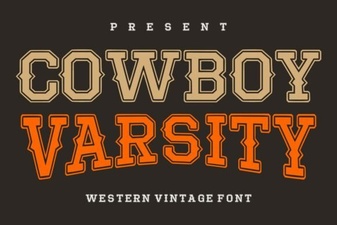 Cowboy Varsity Font: Bold & Playful Design Ideas
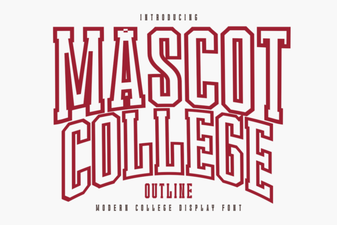 Mascot College Outline Font: Creative Design Ideas
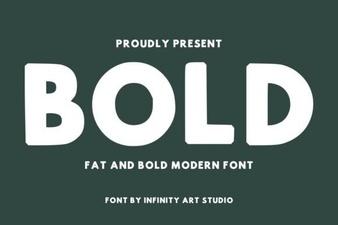 Bold Font: Design Impact & Creative Uses
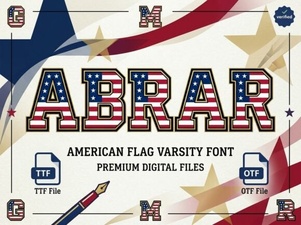 Abrar Font: Creative Design & Typography Ideas
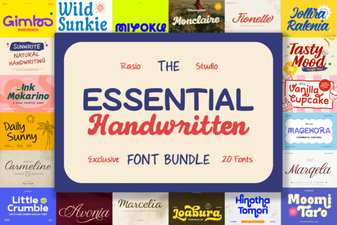 Essential Handwritten Font Bundle for Creative Projects
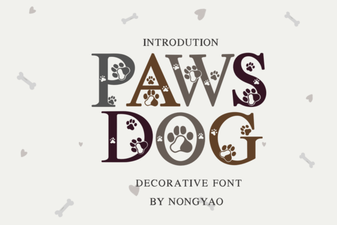 Paws Dog Font: Playful & Versatile Design Tool