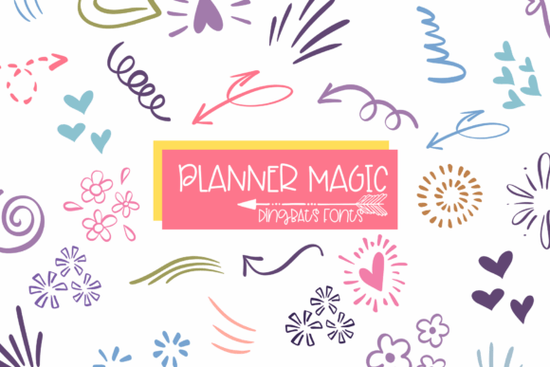
If you're looking for a friendly, hand-drawn dingbats font that works beautifully in planners, bullet journals, and printable designs, Planner Magic Font is a thoughtful choice. It’s not just another decorative font it’s a set of carefully drawn doodle-style icons (hearts, arrows, flowers, sparkles, swirls, and more) designed to feel personal and approachable. You’ll find it especially useful if you’re making planner stickers, journaling templates, or classroom resources and it plays well with tools like Cricut, Silhouette, and Canva.
What kind of projects does Planner Magic work best for?
This font shines where personality matters: in physical and digital planning tools, handmade stationery, and small-batch craft supplies. Because each character is a distinct, light-line doodle, it avoids looking cluttered or overly busy even when used across full pages. Teachers use it to add gentle visual cues to lesson plans or student handouts. Print-on-demand sellers layer it over mugs and notebooks for a warm, handmade aesthetic. Scrapbookers mix it with photos and washi tape for layouts that feel intentional but never stiff.
It’s also practical for digital creators. Since it’s a standard OTF/TTF file, you can type with it like any other font no need to import individual SVGs. Type “A” to get a heart, “B” for a tiny arrow, “C” for a daisy the mapping is intuitive and consistent across software. That makes it faster to use than hunting through icon libraries, especially when building repeatable design systems.
How does it compare to other dingbats fonts?
Unlike some dingbat sets that lean heavily into whimsy or minimalism, Planner Magic balances simplicity and charm. The line weight stays even and legible at small sizes (great for 6mm sticker labels), and the spacing between characters feels natural no awkward gaps or collisions when typing strings of icons. You’ll notice this difference most when designing for real-world use, like printable weekly spreads or cut files for vinyl stickers.
It’s also intentionally versatile. While many dingbats fonts focus on one theme stars or leaves or arrows Planner Magic includes a thoughtful mix. That means you can build cohesive sets without switching fonts: an arrow points to your priority task, a heart marks something joyful, a sparkle highlights a win, and a flower softens a section divider. No extra downloads. No mismatched styles.
Is Planner Magic compatible with my tools?
Yes and smoothly. It installs like any desktop font and works in Adobe Illustrator, Photoshop, Affinity apps, and free tools like Canva (upload as a custom font). For cutting machines: it loads cleanly into Cricut Design Space and Silhouette Studio, and exports cleanly to SVG or PNG when needed. If you're using it for sublimation or DTG printing, the clean outlines hold up well at common print resolutions (300 DPI and above).
One small tip: because it’s a dingbats font (not a Unicode-mapped emoji font), you’ll want to keep the character map handy either using your OS’s built-in font viewer or the PDF guide included with the download. That way, you’ll know exactly which key gives you a swirl versus a dotted line.
Who uses Planner Magic regularly?
- Teachers and homeschoolers who make editable lesson trackers or behavior charts
- Bullet journal enthusiasts adding quick visual markers without drawing by hand
- Small stationery shops designing printable planners sold on Etsy or Gumroad
- DIY crafters creating vinyl decals, iron-on transfers, or resin molds
- Print-on-demand sellers layering subtle accents onto notebook covers or greeting cards
You’ll also find it pairs nicely with clean sans-serifs (like Montserrat or Inter) for contrast, or with soft script fonts for a layered, handmade look. For inspiration, check out real user examples on Creative Fabrica including a Planner Magic Font bundle used in a printable habit tracker series.
If you're already working with other Creative Fabrica fonts like Happy Doodle Font or Whimsy Line Font, Planner Magic fits right in same friendly energy, slightly different rhythm and detail level.
Before downloading: Double-check your license. The standard license covers personal use and small commercial projects (up to 500 units sold). If you plan to use it in a product with unlimited sales like a Canva template shop or large POD store review the extended license options on the product page.
Try It Free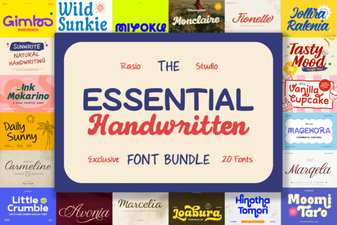 Essential Handwritten Font Bundle for Creative Projects
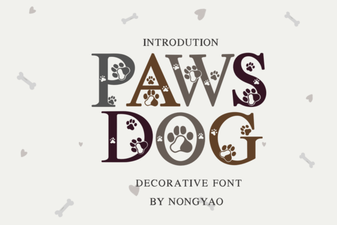 Paws Dog Font: Playful & Versatile Design Tool
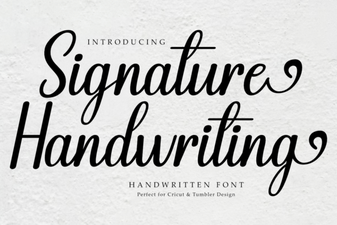 Signature Handwriting Font for Creative Projects
 Cowboy Varsity Font: Bold & Playful Design Ideas
 Sugar Daisies Font: Playful & Elegant Design Tool
 Hi Summer Font: Playful & Vibrant Design Ideas