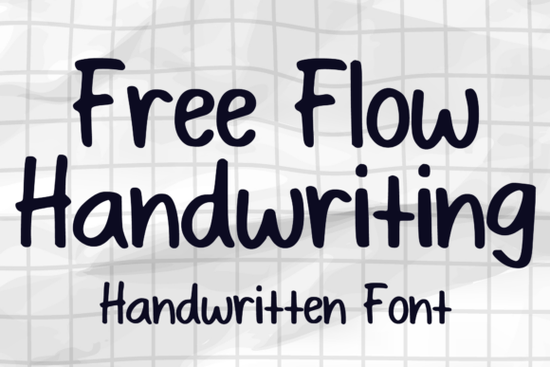
If you're looking for a relaxed, natural-looking handwriting font that works well across everyday design tasks like stickers, greeting cards, or small business branding Free Flow Handwriting Font is a solid choice. It’s not overly formal or fussy; instead, it feels like something you’d jot down with a fine-tip marker slightly bouncy, lightly connected, and full of quiet personality. Whether you’re designing for print or digital, this script font holds up nicely at different sizes and pairs easily with simpler sans-serif or serif fonts.
When does Free Flow Handwriting work best?
This font shines where authenticity and approachability matter. Think handmade-style product labels, café menus, kids’ activity sheets, or Instagram story text overlays. Because the letterforms have gentle variation and subtle texture (especially in the OpenType version), it avoids looking too uniform or robotic a common issue with many script fonts. It’s also a good fit for projects where you want warmth without sacrificing readability like wedding invitations, boutique packaging, or teacher resource bundles on Teachers Pay Teachers.
Designers often reach for Free Flow Handwriting when they need something friendlier than formal calligraphy but more intentional than a basic handwritten Google Font. It’s especially popular among print-on-demand sellers who create quote posters, planner stickers, or printable wall art areas where a light, confident hand-lettered feel helps products stand out in crowded marketplaces.
How does it compare to other playful script fonts?
Unlike tightly spaced or ultra-thin scripts, Free Flow Handwriting keeps generous spacing and clear letter separation so it remains legible even at smaller sizes (14–16pt). That makes it more versatile than some decorative options like Cardeals Font, which leans into bold, retro flair, or Princess Party Font, designed specifically for whimsical kids’ themes. If your project calls for elegance with ease not drama or fantasy Free Flow Handwriting sits comfortably in the middle ground.
For signature-style use, it’s less formal than Signature Handwriting Font, which mimics inked pen strokes with heavier contrast. And while Beauty Font adds delicate flourishes ideal for spa or cosmetics branding, Free Flow keeps things grounded ideal if you're building a cohesive brand identity without leaning too hard into one aesthetic.
What can you actually do with it?
Here are real-world uses people report working well:
- Sticker sheets for bullet journals or planners especially with light outlines or soft shadows
- Logo variations for small creative businesses (e.g., “Brew & Bloom Coffee” or “The Cozy Corner Bookshop”)
- Book cover titles for contemporary fiction or memoirs particularly when paired with muted photography or watercolor textures
- Comic-style speech bubbles or caption boxes where tone matters more than precision
- DIY greeting cards printed at home or through local print shops
You’ll get both uppercase and lowercase letters, standard punctuation, and common accented characters enough to handle English and many European languages without swapping fonts mid-design. No ligatures or alternate glyphs clutter the set, so setup is quick and predictable.
Where to find it and what to watch for
You can download Free Flow Handwriting Font directly from Creative Fabrica. It’s listed under script fonts, and most users pick up the OTF or TTF version depending on their software (both work in Canva, Adobe apps, Cricut Design Space, and Silhouette Studio). Licensing covers personal and commercial use including POD platforms like Redbubble, Etsy, and Printful as long as you’re embedding or converting to outlines (not reselling the font file itself).
One practical note: if you plan to use it for embroidery digitizing or laser-cut wood signs, test spacing first the natural flow means some letters sit closer than others. A quick kerning pass in Illustrator or Affinity Designer usually solves it.
Before you download:
- Check your design software supports OpenType features (if using the enhanced version)
- Preview how it renders at 12pt and 24pt some screens exaggerate thin strokes
- Try pairing it with a neutral sans-serif like Inter or Montserrat for balance
- Save a copy of your layered file with fonts outlined before sending to print
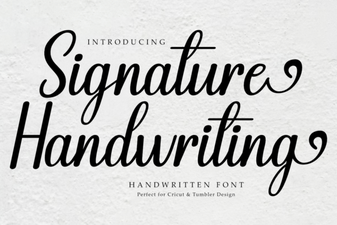 Signature Handwriting Font for Creative Projects
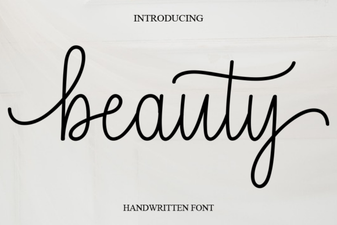 Beauty Fonts: Creative Design Ideas & Tips
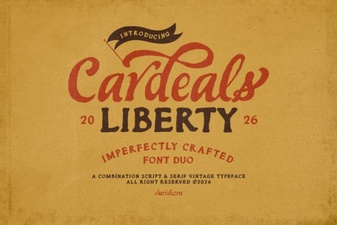 Cardeals Font: Creative Design & Practical Use
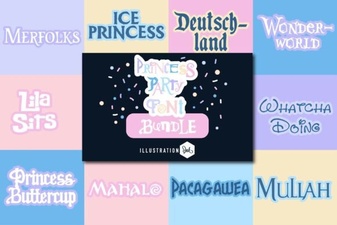 Princess Party Font: Elegant & Playful Design Ideas
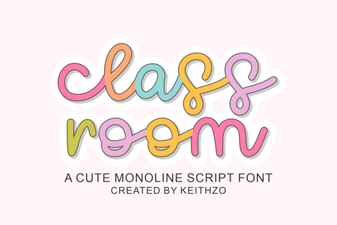 Creative Classroom Fonts for Engaging Learning Spaces
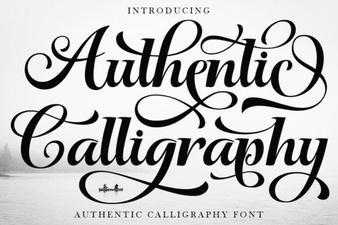 Authentic Calligraphy Fonts for Creative Design